AZTCOFW / TECHNICAL GUIDE
Client tweaks
Personally I like to tweak it a little bit so the windows hide themselves nicely in the system tray. This is optional but I find it improves the user experience.
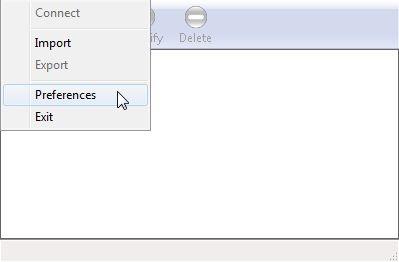
In the VPN Access Manager, go to File > Preferences.
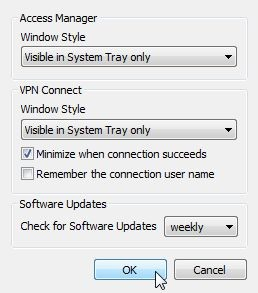
For Access Manager and VPN Connect, set Windows Style to Visible in System Tray only and check Remember when connection succeeds. No need to remember the user name since we’re not using user names but pre-shared keys.
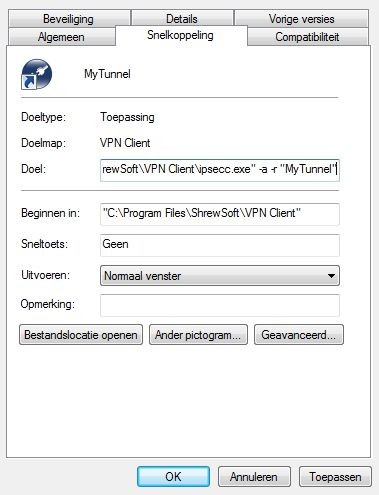
A shortcut may be created directly to the tunnel: create a shortcut to ipsecc.exe (in c:\program files etc.). Right- click the shortcut and choose Properties. In the Target field, add -a -r “MyTunnel”. -a means: start automatically. This starts the connection without the user having to press the Connect button. -r specifies the tunnel name. If the tunnel was named “Work”, write “Work” in stead of “MyTunnel”.
Now when the shortcut is double clicked, the tunnel is automatically started.
Backup the tunnel profile by selecting it in the VPN Access Manager and going to File > Export. Restoring works by choosing Import.
Archive imported from the AZTCOFW knowledge base on 2026-09-05. Historical source records may refer to older software versions. Confirm applicability before changing a production system.
Original source ↗