AZTCOFW / TECHNICAL GUIDE
Set up the Authentication Server
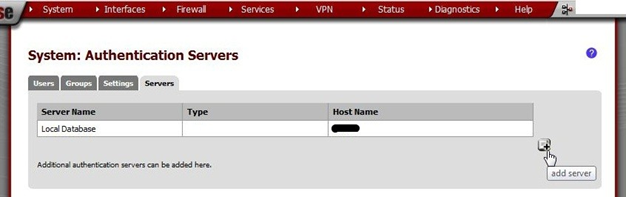
In the AZTCO-FW webGUI, go to System > User Manager, on the Servers tab. Click [Image unavailable in the source] on the right.
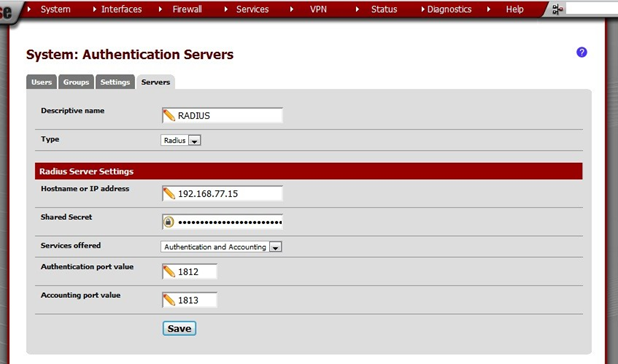
Enter these values:
| Descriptive name | RADIUS |
| Type | Radius |
| Hostname or IP address | 192.168.77.15 |
| Shared Secret | Paste the shared secret generated by the RADIUS server. Then delete the file containing the shared secret. It will not be needed again and if it is, a new one may be generated instead. |
| Services offered | Authentication and Accounting |
| Authenti- cation port value | 1812 |
| Accounting port value | 1813 |
Archive imported from the AZTCOFW knowledge base on 2026-09-05. Historical source records may refer to older software versions. Confirm applicability before changing a production system.
Original source ↗