AZTCOFW / TECHNICAL GUIDE
Setup the IPv6 Gateway
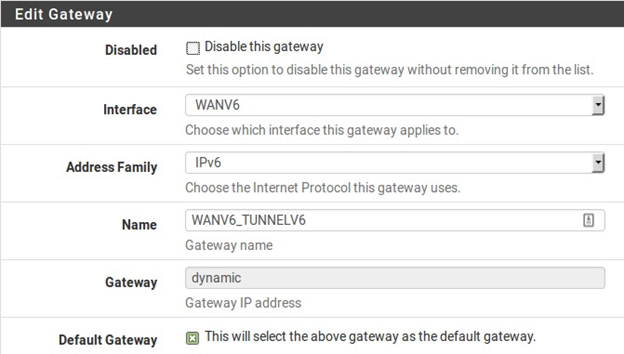
When the interface is configured as listed above, a dynamic IPv6 gateway is added automatically, but it is not yet marked as default.
- Navigate to System > RoutingEdit the dynamic IPv6 gateway with the same name as the IPv6 WAN created above.Check Default Gateway.Click Save.Click Apply Changes.
Navigate to Status > Gateways to view the gateway status. The gateway will show as “Online” if the configuration is successful, as seen in Figure 64: Example Tunnel Gateway Status.

Archive imported from the AZTCOFW knowledge base on 2026-09-05. Historical source records may refer to older software versions. Confirm applicability before changing a production system.
Original source ↗