AZTCOFW / TECHNICAL GUIDE
Using the Windows client
Set the Windows Client to run as Administrator. To use the client, double click the OpenVPN GUI icon on the Desktop

Windows will ask to confirm the execution. Confirm.
OpenVPN will start but that’s not enough. Right-click the OpenVPN icon in the taskbar and choose Connect.

The user must now enter their username and password. This is only the username part, without the domain. The password is the user’s Active Directory password.
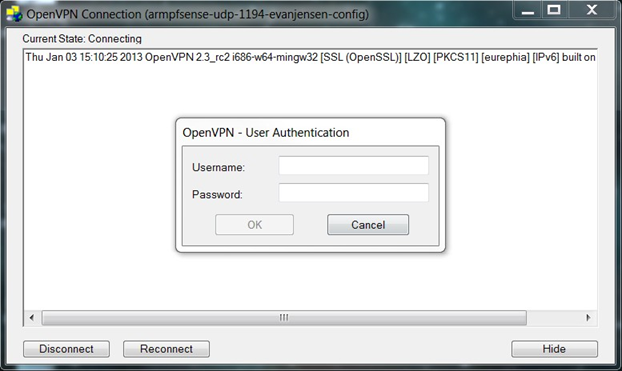
If all is well, OpenVPN will connect to the AZTCO-FW router and minimize to the system tray.

Right-click the system tray icon and choose Disconnect or Close to either disconnect the tunnel or close the OpenVPN program altogether.
Tweaking the client
Here are some tweaks I like to do on my client installations.
Archive imported from the AZTCOFW knowledge base on 2026-09-05. Historical source records may refer to older software versions. Confirm applicability before changing a production system.
Original source ↗