AZTCOFW / TECHNICAL GUIDE
Configure firewall rules at Site B
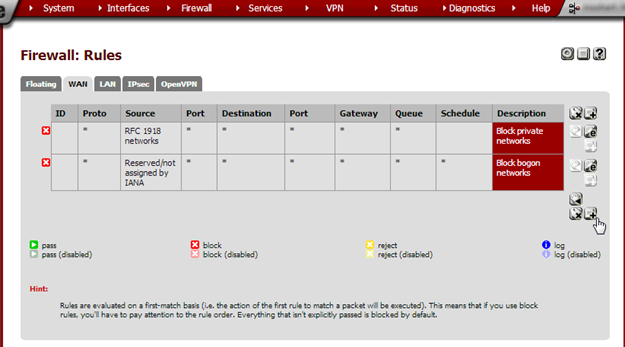
From the Firewall menu, choose Rules. Open the WAN tab, unless using a different interface for the VPN connection. Click on the + button to add a new rule.
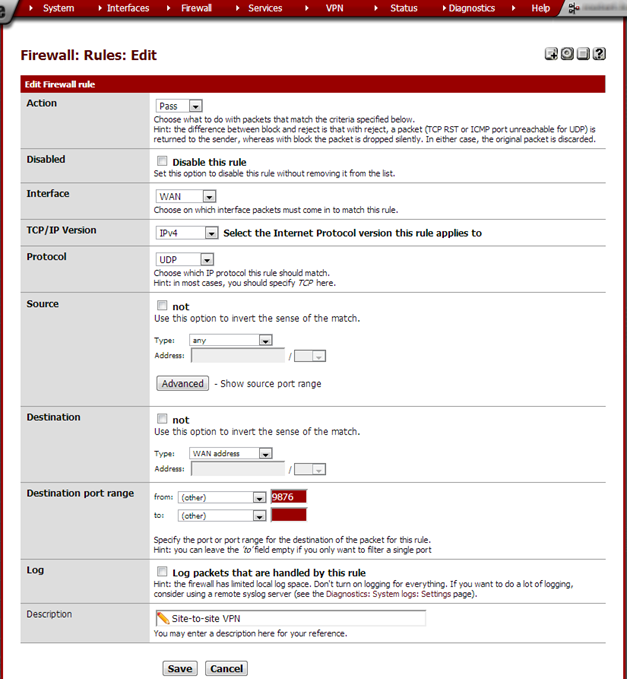
Enter these values:
| Action | Pass |
| Disabled | not checked |
| Interface | WAN |
| TCP/IP Version | IPv4 |
| Protocol | UDP |
| Source | any |
| Destination | Type: WAN address |
| Destination port range | from: (other) 9876 to: (other) |
| Log | not checked |
| Description | Site-to-site VPN |
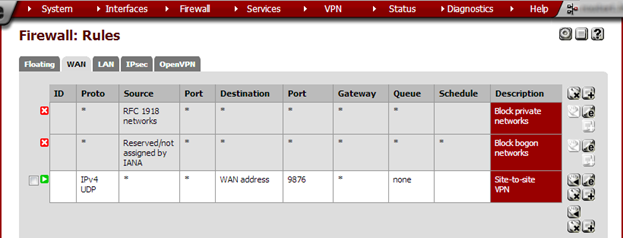
Click Save and on the next page click Apply changes.
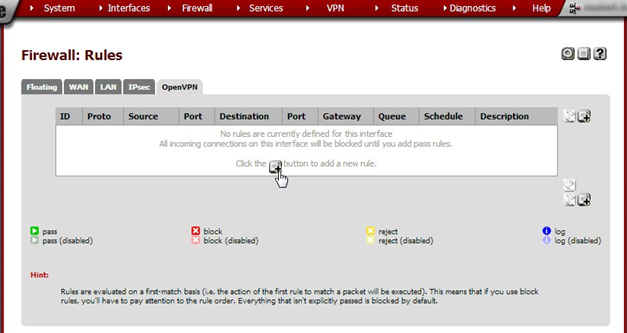
Click on the OpenVPN tab. We’ll now add a rule to allow traffic through the OpenVPN connection. Click on the + button add a rule.
Enter these values:
| Action | Pass | |
| Disabled | not checked | |
| Interface | OpenVPN | |
| TCP/IP Version | IPv4 | |
| Protocol | any | |
| Source | any | |
| Destination | any | |
| Log | not checked | |
| Description | Allow everything through OpenVPN |
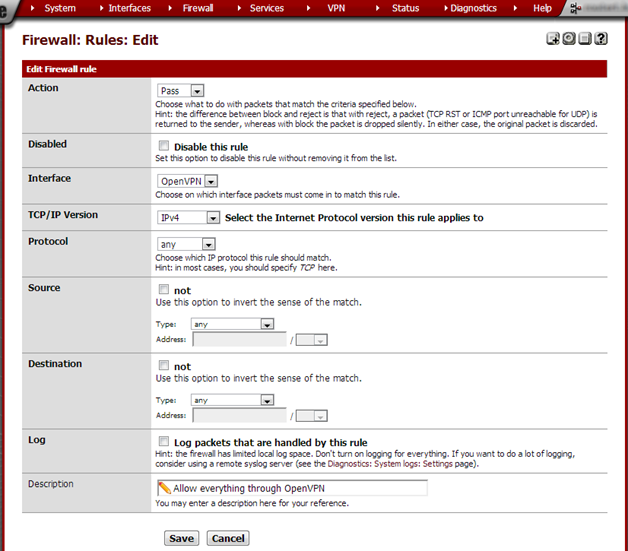
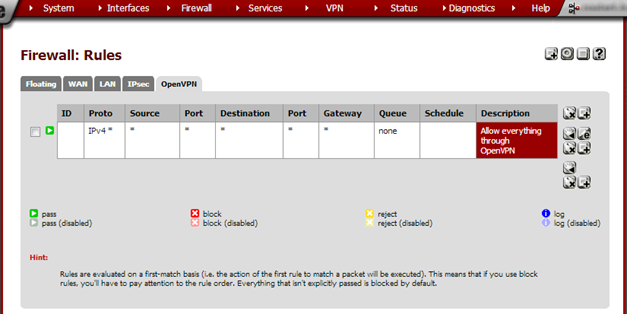
Click Save and on the next page Apply Changes.
Archive imported from the AZTCOFW knowledge base on 2026-09-05. Historical source records may refer to older software versions. Confirm applicability before changing a production system.
Original source ↗