AZTCOFW / TECHNICAL GUIDE
Configure the firewall
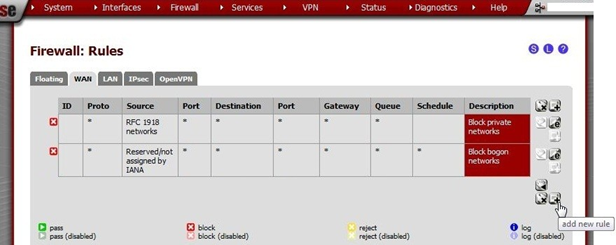
Go to Firewall > Rules, WAN tab and click +[Image unavailable in the source] to create a new rule.
Enter these values:
| Action | Pass |
| Disabled | not checked |
| Interface | WAN |
| Protocol | UDP |
| Source | unchecked, any |
| Destination | unchecked, WAN address |
| Destination port range | from OpenVPN to OpenVPN |
| Log | only check when troubleshooting |
| Description | OpenVPN RADIUS |
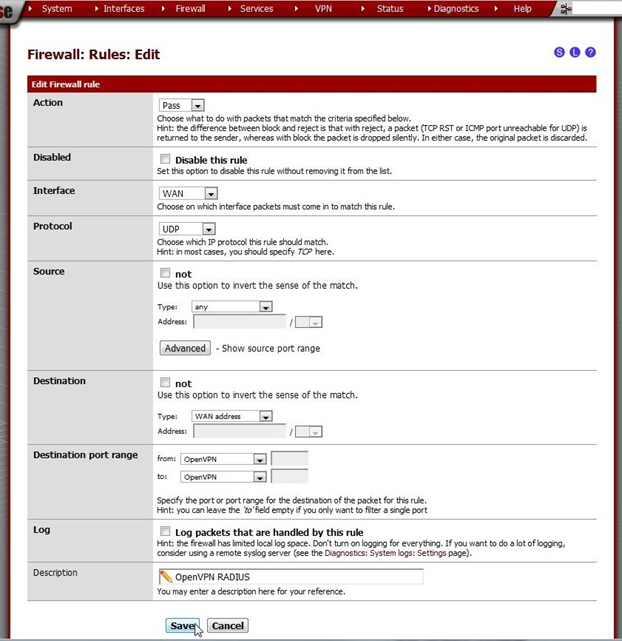
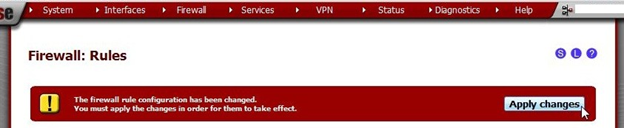
Click Save and the rules page will reload. Do not forget to click Apply Changes.
Archive imported from the AZTCOFW knowledge base on 2026-09-05. Historical source records may refer to older software versions. Confirm applicability before changing a production system.
Original source ↗