AZTCOFW / TECHNICAL GUIDE
Configure the New OPT Interface
The new interface is now accessible under Interfaces > OPTx, where x depends on the number assigned to the interface.
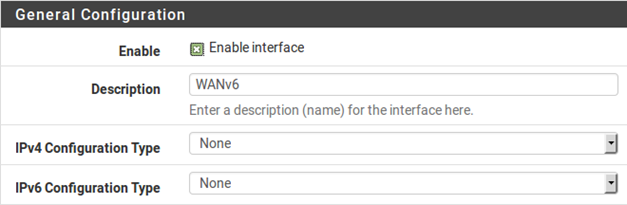
- Navigate to the new interface configuration page. (Interfaces > OPTx)
- Check Enable Interface.
- Enter a name for the interface in the Description field, for example WANv6.
- Leave IPv6 Configuration Type as None.
- Click Save
- Click Apply Changes.
Archive imported from the AZTCOFW knowledge base on 2026-09-05. Historical source records may refer to older software versions. Confirm applicability before changing a production system.
Original source ↗