AZTCOFW / TECHNICAL GUIDE
Interface Configuration
First configure the WAN and OPT interfaces. The LAN interface can also be used for public IP addresses if desired. In this example, LAN is a private IP subnet and OPT1 is the public IP subnet.
Configure WAN
Add the IP address and gateway accordingly. Figure 86: WAN IP and Gateway Configuration.

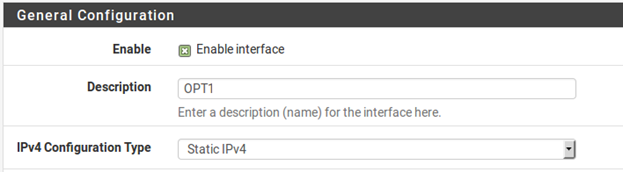
Configure OPT1
Now enable OPT1, optionally change its name, and configure the IP address and subnet mask. Figure 87: Routing OPT1 Interface Configuration.

Archive imported from the AZTCOFW knowledge base on 2026-09-05. Historical source records may refer to older software versions. Confirm applicability before changing a production system.
Original source ↗