AZTCOFW / TECHNICAL GUIDE
Method 2: Split DNS
The more elegant solution to this problem involves using Split DNS. Basically this means that internal and external clients resolve hostnames differently.
Internal clients would access resources by hostname, not IP, and clients on the local network would resolve that hostname to the LAN IP address of the actual server, and not the WAN IP as others outside the network would see.
In order for this to work using the DNS Forwarder or Resolver in AZTCO-FW software, clients will need to have the IP Address of the AZTCO-FW router as their primary DNS server.
Example:
- www.example.com resolves to public IP 1.2.3.4, which is the WAN IP
- Forward port 80 on 1.2.3.4 to port 80 on 192.168.1.5
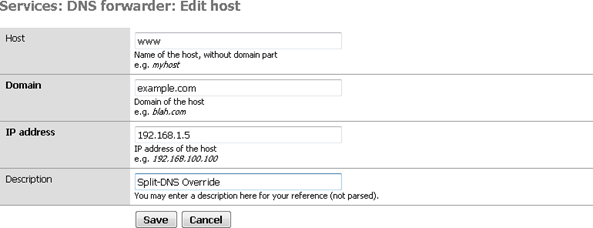
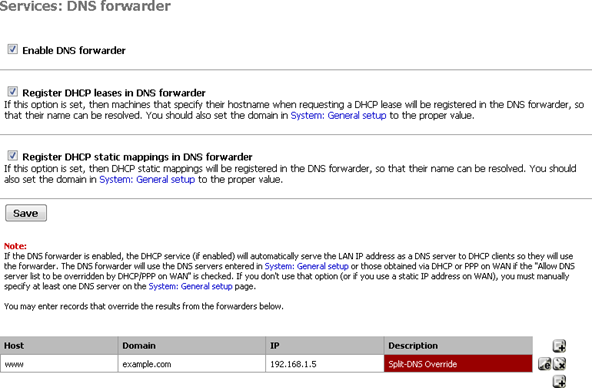
- Override www.example.com using Services > DNS Resolver (or DNS Forwarder, if using it instead) and point www.example.com to 192.168.1.5
– Another internal DNS mechanism could also be used to enact the override. Screenshots that show the above in practice:
Archive imported from the AZTCOFW knowledge base on 2026-09-05. Historical source records may refer to older software versions. Confirm applicability before changing a production system.
Original source ↗