AZTCOFW / TECHNICAL GUIDE
Set up the client at site A
From the VPN menu choose OpenVPN and go to the Client tab. Click the + button to configure a client.
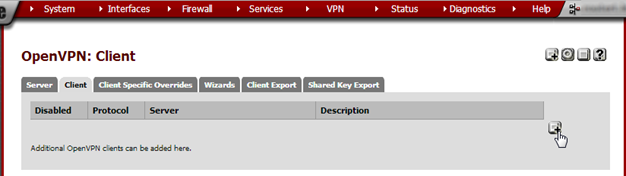
Enter these values:
| Disabled | not checked | |
| Server Mode | Peer to Peer (Shared Key) | |
| Protocol | UDP | same as Site B |
| Device mode | tun | |
| Interface | WAN | |
| Local port | leave empty | |
| Server host or ad- dress | Site B’s public IP address or FQDN | |
| Server port | 9876 | the port Site B is running the OpenVPN server on |
| Proxy host or ad- dress | leave empty if not using a proxy | |
| Proxy port | leave empty if not using a proxy | |
| Proxy authentica- tion extra options | leave empty if not using a proxy | |
| Server host name resolution | check if Site B sometimes has connectivity prob- lems | |
| Shared Key | do not check ‘Automatically generate a shared key’ but paste the Shared Key from site B | |
| Encryption algo- rithm | AES-256-CBC (256-bit) | same as Site B |
| Hardware Crypto | Choose ‘No Hardware Crypto Acceleration’ un- less the hardware has an accelerator | |
| IPv4 Tunnel Net- work | 192.168.204.0/30 | same as Site B |
| IPv6 Tunnel Net- work | leave empty | |
| IPv4 Remote Net- work/s | 192.168.20.0/24 | site A’s subnet |
| IPv6 Remote Net- work/s | leave empty | |
| Limit outgoing bandwidth | leave empty unless required | |
| Compression | same as Site B | |
| Type-of-Service | not checked | |
| Advanced | redirect-gateway def1; | This makes all traffic, including Inter- net traffic, go through the tunnel. |
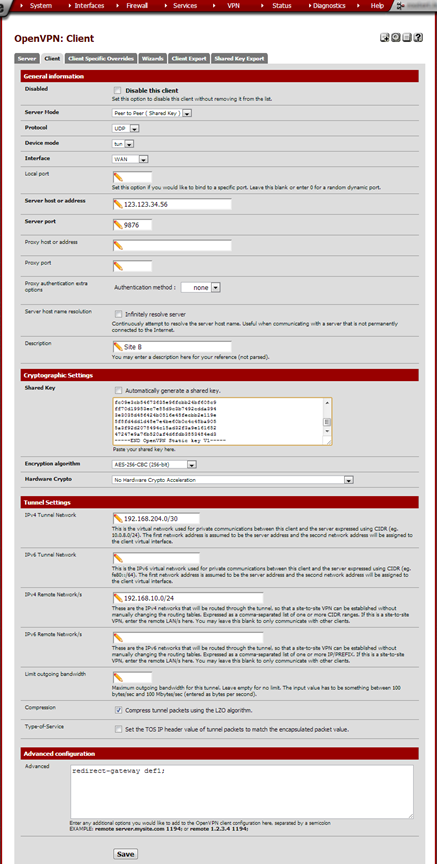
Click Save.
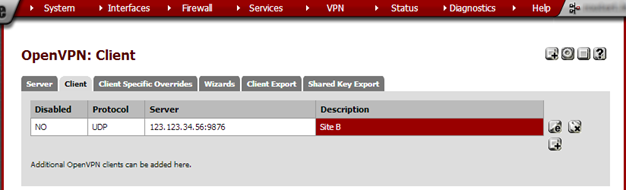
The tunnel should now work and internet traffic should be routed from Site A through the tunnel out site B.
By Vorkbaard, 2013-07-29 – gmail{a}vorkbaard[.]nl
Archive imported from the AZTCOFW knowledge base on 2026-09-05. Historical source records may refer to older software versions. Confirm applicability before changing a production system.
Original source ↗